
POS integration

OnlinePOS and TitanPlan

Transfer sales revenue automatically from OnlinePOS to TitanPlan and see the day’s labor cost percentage alongside your shift schedule.

This integration is included in TitanPlan’s price without an additional integration fee from TitanPlan. See pricing and terms

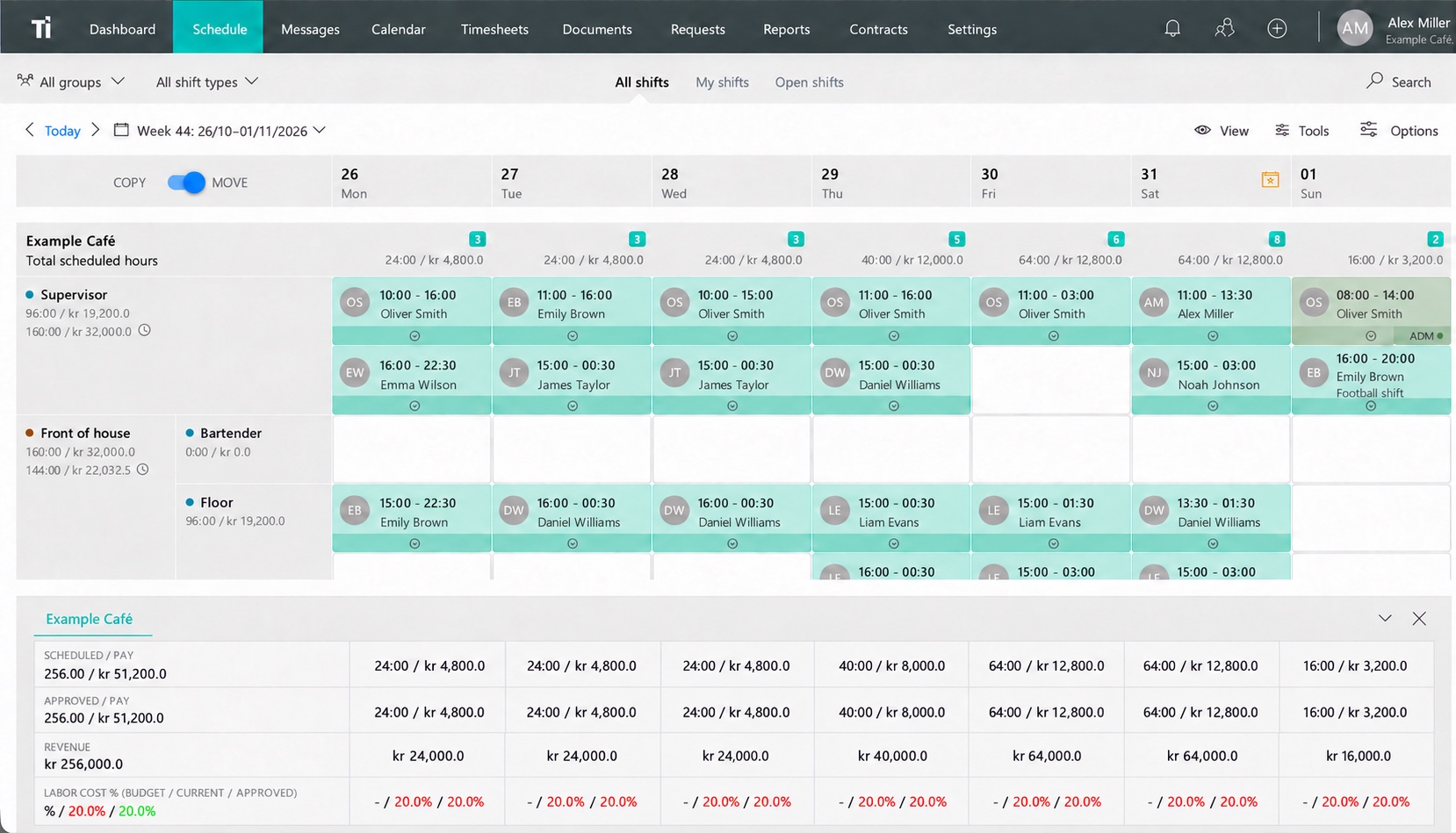
Example of revenue and labor cost percentage in a TitanPlan schedule
Example of revenue and labor cost percentage in a TitanPlan scheduleBrowser · English · Demo

How the integration works

From point-of-sale revenue to labor cost percentage

  1. Record sales in OnlinePOS Your sales revenue comes from your OnlinePOS point-of-sale system.
  2. Bring revenue into TitanPlan Once the integration is set up, revenue is transferred automatically from OnlinePOS to TitanPlan.
  3. See the day’s labor cost percentage Use the percentage to see labor costs relative to sales revenue. You can use that context to review staffing.
Read more at OnlinePOS

Integration questions

What data is transferred from OnlinePOS?

The integration transfers sales revenue from OnlinePOS to TitanPlan.

Where can we see the day’s labor cost percentage?

You can see the day’s labor cost percentage in the TitanPlan schedule. It shows labor costs as a share of sales revenue.

Want to connect TitanPlan and OnlinePOS?

Tell us about your OnlinePOS setup and what you’d like to track alongside your shift schedule.