
Find the next shift
View the current schedule and changes to assigned shifts.
Staff scheduling and time clock app
Keep shifts, time tracking and team messages close at hand with TitanPlan for iPhone and Android. Employees can check the schedule, clock in and out, and stay in touch with coworkers.
30 days free. No credit card.
Employee app
The next start time, a change to the schedule or a request for a day off. Give your team access to daily tasks without finding a computer.
See how employee scheduling and time tracking work together in TitanPlan, from the next start time to the review of hours worked.
View the current schedule and changes to assigned shifts.
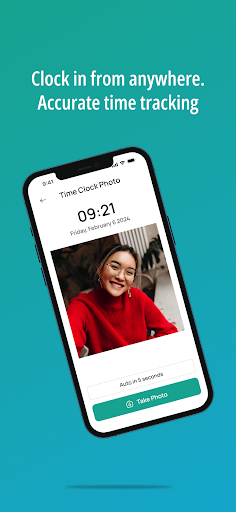
Clock in and out on a phone if your workplace uses mobile time tracking.
Send a request directly from the app.
Read and send team messages in TitanPlan.
Employee app
See the next shift, record working time and read messages from colleagues. TitanPlan is available for iPhone and Android.
Yes. Employees can check their shifts, record time and read and send messages in the TitanPlan app. Agree how your workplace will use mobile time tracking.
The app is free to download for iPhone and Android and works with your company’s TitanPlan account. New companies can try TitanPlan free for 30 days without a credit card. After that, the selected subscription applies.
Set up your company and see how employees find shifts and messages in the app. The first 30 days are free.
30 days free. No credit card.