
Work out where you need people
Bring together opening hours, reservations, deliveries and recurring tasks. Split the day into periods with different staffing needs. An average for the whole day can hide a busy lunch or an understaffed close.
Write down the roles as well as the headcount. Someone needs to be able to open, handle a delivery or close the register. Include preparation, cleanup and the time a new employee needs with an experienced colleague.
Turn demand into coverage
Here is a fictional café example. The figures describe the number of people needed at each point in the day; you still need to plan breaks and assign individual shifts.
| Time | Coverage | Work |
|---|---|---|
| 08:00–11:00 | 2 people | Opening and preparation |
| 11:00–15:00 | 4 people | Lunch and replenishment |
| 15:00–18:00 | 2 people | Afternoon and closing |
The coverage adds up to 28 person-hours: 3 × 2 + 4 × 4 + 3 × 2. Use that as the starting point for the schedule, then check that breaks leave enough people working throughout the day.
Collect availability before building the week
Give employees a deadline for availability and time-off requests, and tell them when you will publish the schedule. Resolve any uncertainty before assigning shifts.
Keep agreed availability separate from preferences. Someone who cannot work Tuesday under an existing arrangement needs different treatment from someone who would prefer Friday off. Check employment terms and the working-time rules that apply to your team.
Check how shifts are shared
Look back over several weeks when reviewing opening, closing and weekend shifts. One week rarely gives a fair picture of the distribution.
Explain how you allocate less popular shifts and account for different employment arrangements. When you reuse a previous week, check changes in demand and availability before publishing it. Our weekly schedule template gives you a starting point if you use Excel.
Check the schedule before publishing
- Are the essential roles covered throughout each shift?
- Do breaks and handovers leave enough people available?
- Have you included agreed availability and approved time off?
- Are locations, start times and finish times clear?
- Does each employee know where to see the published schedule?
Ask another manager to check the busiest period. They may spot a gap that is easy to miss after working on the whole week.
Keep the published schedule up to date
Agree who handles changes and how employees hear about them. Once a swap is approved, update the schedule so the manager and both employees see the same answer.
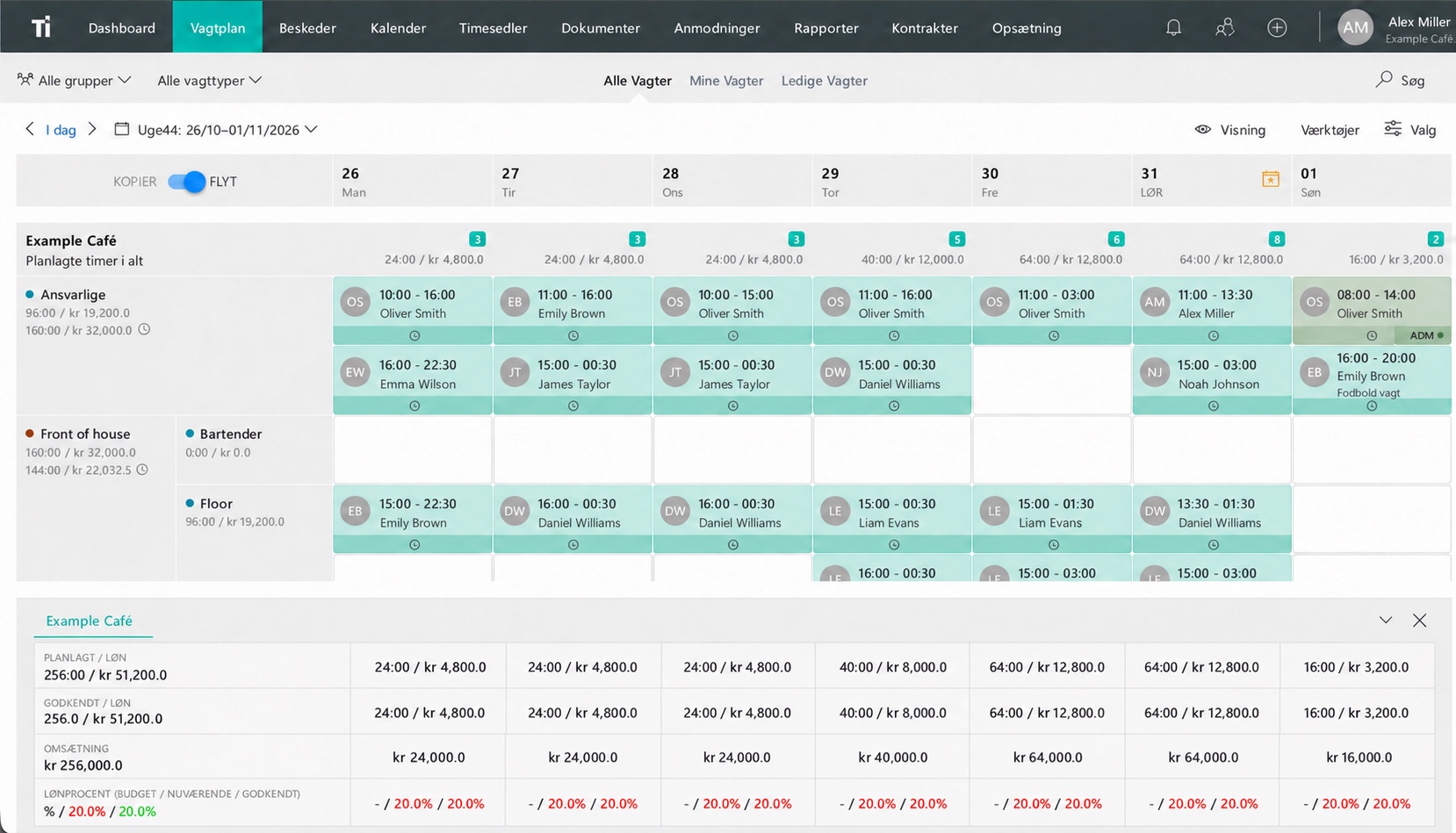
In TitanPlan staff scheduling, you can assign shifts, reuse templates and review planned labor costs. Try your next week in the system, then work through a shift swap with a colleague to see how changes fit your routine.
Questions and answers
Where should I start when making a staff schedule?
Start with the work and the roles each period needs. Collect availability and approved time off, then assign people to the shifts.
How far ahead should we publish the schedule?
Agree a regular publication date that gives your team useful notice and meets the requirements that apply to your workplace.
Can we reuse last week’s schedule?
Yes, as a starting point. Check demand, availability, time off and any role changes before publishing the new week.