
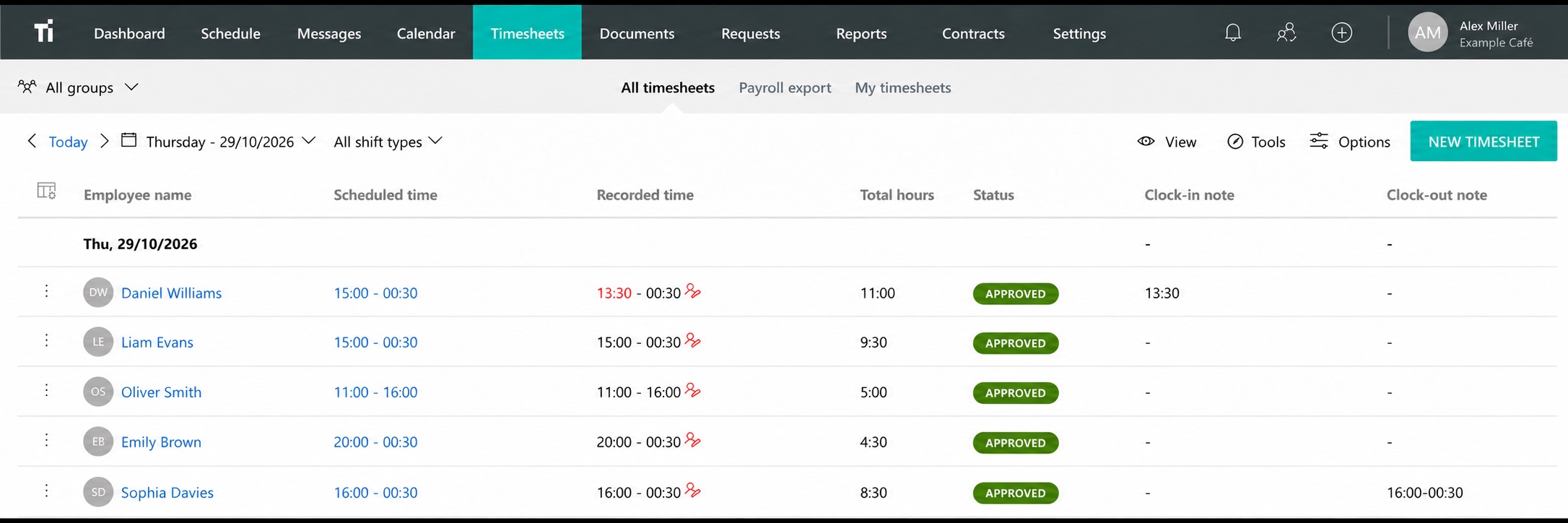
Confirm the period and the employees
Write down the start and end dates of the period you are reviewing. Check the employee list, including anyone who joined, left or worked in another department during that period.
Agree who follows up on unanswered questions and when corrections need to be ready. Tell employees how to report a missed clock-in or an incorrect finish time. This gives the reviewer a clear list to work through before the payroll deadline.
Check the entries behind the total
- Look for missing start or finish times.
- Review unusually long or short entries.
- Check that breaks follow the agreed arrangements.
- Look for duplicate entries or hours on the wrong date.
- Check that time is attached to the right employee and department.
- Resolve differences between the schedule and recorded hours.
A reasonable-looking total can hide two mistakes that cancel each other out. Check the underlying entries and keep a short explanation of corrections so the employee and reviewer can follow what changed.
Check the hours format
Three working days of 7 hours and 30 minutes add up to 22 hours and 30 minutes, or 22.5 decimal hours. If 7.30 is entered as a decimal and added three times, the total becomes 21.9.
Confirm whether the receiving system expects hours and minutes or decimal hours. Our hours and minutes converter can help you check a sample.
Choose an employee and several known shifts, then follow those entries through the review and into the payroll input. Resolve any difference before transferring the rest of the period.
Confirm how hours reach payroll
Confirm how the reviewed hours should reach payroll. Tell us which system you use if you want to explore payroll integration options.
DataLøn is one example of an existing integration. Review setup, employee numbers, pay codes and periods before using a connection. Agree who handles corrections found after a transfer.
Make the review part of the week
Set aside time regularly to resolve missing entries while the shifts are still easy to remember. Keep a short status for anything awaiting an answer, such as “Waiting for Tuesday’s finish time.”
If one issue keeps returning, review the routine behind it. An unclear break arrangement or a missing introduction to time tracking may need attention before the next period. The time tracking guide gives you a starting point.
Review your own hours in TitanPlan
Use TitanPlan reports to review the hours your team has recorded. In a demo, bring a typical period and a few corrections you regularly need to handle. We can show you the relevant reports and discuss the handoff to payroll.
Questions and answers
Should scheduled hours go straight to payroll?
Review actual working time and any differences first. The schedule provides a useful comparison, while the payroll input needs the hours and pay treatment that apply.
What is 22 hours and 30 minutes in decimal hours?
22.5 hours. Thirty minutes is half an hour.
Can TitanPlan connect to our payroll system?
Tell us which payroll system you use. We can then confirm whether a suitable integration is available and what setup it needs.